// PromptOS app — login page + RBAC (user management)

const posRoleMeta = {
  admin: { label: 'Admin', c: '#f472b6', desc: 'Akses penuh + kelola pengguna' },
  editor: { label: 'Editor', c: '#7c5cfa', desc: 'Buat, edit, hapus prompt & koleksi' },
  viewer: { label: 'Viewer', c: '#60a5fa', desc: 'Hanya membaca, favorit & uji prompt' },
};

function RoleBadge({ role, size }) {
  const m = posRoleMeta[role] || { label: role, c: T.dim };
  return <Badge color={m.c}>{m.label}</Badge>;
}

// peran → hak akses, dipakai di seluruh UI untuk menyembunyikan kontrol
function posCan(role) {
  return {
    edit: role === 'admin' || role === 'editor', // create/edit/delete prompt, koleksi, trash
    manageUsers: role === 'admin',
  };
}

const posLandingFeatures = [
  ['book', '#7c5cfa', 'Prompt Library', 'Simpan, kategorikan, dan kelola ribuan prompt dengan koleksi & tag pintar.'],
  ['spark', '#f472b6', 'AI Generator', 'Ubah ide jadi prompt terstruktur dengan metode Role, RAG, CoT, Few-shot & ReAct.'],
  ['blocks', '#60a5fa', 'Prompt Builder', 'Rangkai prompt sempurna lewat blok drag-and-drop yang modular.'],
  ['bot', '#34d399', 'AI Agents', 'Rancang & jalankan agent AI multi-langkah untuk riset, konten, coding, dan analisis bisnis.'],
  ['flask', '#f5b94a', 'Testing Lab', 'Uji satu prompt di banyak model AI — output teks, dokumen, gambar, & video.'],
  ['chart', '#22b8cf', 'Insights & Analytics', 'Analitik real-time koleksi prompt Anda plus Knowledge Graph keterkaitan prompt.'],
];

// bingkai jendela browser untuk cuplikan UI
function PosShot({ src, label, big }) {
  return (
    <div style={{
      border: `1px solid ${T.line2}`, borderRadius: 12, overflow: 'hidden', background: T.card,
      boxShadow: '0 16px 40px rgba(0,0,0,0.4)',
    }}>
      <div style={{ display: 'flex', alignItems: 'center', gap: 6, padding: '8px 12px', borderBottom: `1px solid ${T.line}`, background: T.panel }}>
        {['#ff5f57', '#febc2e', '#28c840'].map((c) => (
          <span key={c} style={{ width: 9, height: 9, borderRadius: 5, background: c }}></span>
        ))}
        <span style={{ marginLeft: 8, fontSize: 11, color: T.dim, fontFamily: 'monospace' }}>promptos.app</span>
      </div>
      <img src={src} alt={label} loading="lazy" style={{ width: '100%', display: 'block' }} />
      {label && <div style={{ fontSize: 11.5, color: T.dim, padding: '9px 12px', borderTop: `1px solid ${T.line}` }}>{label}</div>}
    </div>
  );
}

// layar fitur terkunci (untuk fitur yang butuh paket lebih tinggi)
function PlanLock({ title, desc, setRoute }) {
  return (
    <div style={{ padding: 22, maxWidth: 680 }}>
      <div style={{ fontSize: 20, fontWeight: 800, color: T.text }}>{title}</div>
      <div style={{
        marginTop: 16, padding: '56px 28px', textAlign: 'center', border: `1.5px dashed ${T.line2}`,
        borderRadius: 16, display: 'flex', flexDirection: 'column', alignItems: 'center', gap: 12,
      }}>
        <span style={{ width: 48, height: 48, borderRadius: 12, background: T.vioSoft, border: `1px solid ${T.vio}44`, display: 'flex', alignItems: 'center', justifyContent: 'center' }}>
          <svg width="22" height="22" viewBox="0 0 24 24" fill="none" stroke={T.vio} strokeWidth="2" strokeLinecap="round" strokeLinejoin="round">
            <rect x="5" y="11" width="14" height="9" rx="2" /><path d="M8 11 V7 a4 4 0 0 1 8 0 v4" />
          </svg>
        </span>
        <span style={{ fontSize: 15, fontWeight: 700, color: T.text }}>Fitur terkunci</span>
        <span style={{ fontSize: 13, color: T.mut, maxWidth: 360, lineHeight: 1.55 }}>{desc}</span>
        <VioBtn small onClick={() => setRoute && setRoute('plans')}>Lihat paket →</VioBtn>
      </div>
    </div>
  );
}

// modal upgrade global: muncul saat user menekan fitur terkunci; latar (seluruh app) ter-blur
function UpgradeModal({ info, onUpgrade, onClose }) {
  const i = info || {};
  return (
    <div onClick={onClose} style={{
      position: 'fixed', inset: 0, zIndex: 60, display: 'flex', alignItems: 'center', justifyContent: 'center',
      background: 'rgba(0,0,0,0.4)', backdropFilter: 'blur(7px)', WebkitBackdropFilter: 'blur(7px)', padding: 20,
    }}>
      <div onClick={(e) => e.stopPropagation()}>
        <Card style={{ width: 420, maxWidth: '92vw', padding: 30, textAlign: 'center', display: 'flex', flexDirection: 'column', alignItems: 'center', gap: 12, boxShadow: '0 28px 70px rgba(0,0,0,0.55)' }}>
          <span style={{ width: 52, height: 52, borderRadius: 14, background: T.vioSoft, border: `1px solid ${T.vio}44`, display: 'flex', alignItems: 'center', justifyContent: 'center' }}>
            <svg width="24" height="24" viewBox="0 0 24 24" fill="none" stroke={T.vio} strokeWidth="2" strokeLinecap="round" strokeLinejoin="round">
              <rect x="5" y="11" width="14" height="9" rx="2" /><path d="M8 11 V7 a4 4 0 0 1 8 0 v4" />
            </svg>
          </span>
          <Badge color={T.vio}>Fitur {i.plan || 'Pro'}</Badge>
          <div style={{ fontSize: 18, fontWeight: 800, color: T.text }}>{i.feature || 'Fitur ini'} terkunci</div>
          <div style={{ fontSize: 13, color: T.mut, lineHeight: 1.55, maxWidth: 330 }}>{i.desc || `Tingkatkan ke paket ${i.plan || 'Pro'} untuk membuka fitur ini.`}</div>
          <VioBtn onClick={onUpgrade} style={{ marginTop: 6, width: '100%' }}>Upgrade ke {i.plan || 'Pro'} →</VioBtn>
          <span onClick={onClose} style={{ fontSize: 12.5, color: T.dim, cursor: 'pointer' }}>Nanti saja</span>
        </Card>
      </div>
    </div>
  );
}

// (lama) tampilkan halaman fitur berbayar dalam keadaan blur permanen — tidak lagi dipakai
function UpgradeOverlay({ feature, desc, requiredPlan = 'Pro', setRoute, children }) {
  return (
    <div style={{ position: 'relative', minHeight: '70vh' }}>
      <div aria-hidden="true" style={{ filter: 'blur(6px)', pointerEvents: 'none', userSelect: 'none', opacity: 0.75 }}>
        {children}
      </div>
      <div style={{
        position: 'absolute', inset: 0, display: 'flex', alignItems: 'center', justifyContent: 'center',
        background: T.bg + 'b3', backdropFilter: 'blur(2px)', padding: 20,
      }}>
        <Card style={{ width: 420, maxWidth: '92%', padding: 30, textAlign: 'center', display: 'flex', flexDirection: 'column', alignItems: 'center', gap: 12, boxShadow: '0 24px 60px rgba(0,0,0,0.5)' }}>
          <span style={{ width: 52, height: 52, borderRadius: 14, background: T.vioSoft, border: `1px solid ${T.vio}44`, display: 'flex', alignItems: 'center', justifyContent: 'center' }}>
            <svg width="24" height="24" viewBox="0 0 24 24" fill="none" stroke={T.vio} strokeWidth="2" strokeLinecap="round" strokeLinejoin="round">
              <rect x="5" y="11" width="14" height="9" rx="2" /><path d="M8 11 V7 a4 4 0 0 1 8 0 v4" />
            </svg>
          </span>
          <Badge color={T.vio}>Fitur {requiredPlan}</Badge>
          <div style={{ fontSize: 18, fontWeight: 800, color: T.text }}>{feature} terkunci</div>
          <div style={{ fontSize: 13, color: T.mut, lineHeight: 1.55, maxWidth: 320 }}>{desc}</div>
          <VioBtn onClick={() => setRoute && setRoute('plans')} style={{ marginTop: 6, width: '100%' }}>Upgrade ke {requiredPlan} →</VioBtn>
          <span onClick={() => setRoute && setRoute('dashboard')} style={{ fontSize: 12.5, color: T.dim, cursor: 'pointer' }}>Nanti saja</span>
        </Card>
      </div>
    </div>
  );
}

// tabel perbandingan fitur antar paket; `c` = palet warna (light/dark)
function PlanMatrix({ c }) {
  const cell = (v, accent) => {
    if (v === true) return <span style={{ color: accent, fontWeight: 800 }}>✓</span>;
    if (v === false) return <span style={{ color: c.dim }}>—</span>;
    return <span style={{ color: c.text, fontWeight: 600, fontSize: 12.5 }}>{v}</span>;
  };
  const cols = [['basic', 'Basic', c.mut], ['pro', 'Pro', c.vio], ['plus', 'Plus', '#f472b6']];
  const grid = { display: 'grid', gridTemplateColumns: '1.7fr 1fr 1fr 1fr' };
  return (
    <div style={{ borderRadius: 16, border: `1px solid ${c.line}`, overflow: 'hidden', background: c.card }}>
      <div style={{ ...grid, background: c.soft, borderBottom: `1px solid ${c.line}` }}>
        <div style={{ padding: '14px 18px', fontSize: 12.5, fontWeight: 700, color: c.dim }}>Fitur</div>
        {cols.map(([k, name, col]) => (
          <div key={k} style={{ padding: '14px 12px', textAlign: 'center', fontSize: 13.5, fontWeight: 800, color: col, background: k === 'pro' ? c.vio + '14' : 'transparent' }}>{name}</div>
        ))}
      </div>
      {posPlanMatrix.map((row, i) => (
        <div key={row.label} style={{ ...grid, borderBottom: i < posPlanMatrix.length - 1 ? `1px solid ${c.line}` : 'none' }}>
          <div style={{ padding: '12px 18px', fontSize: 13, color: c.mut }}>{row.label}</div>
          <div style={{ padding: '12px', textAlign: 'center' }}>{cell(row.basic, c.mut)}</div>
          <div style={{ padding: '12px', textAlign: 'center', background: c.vio + '0e' }}>{cell(row.pro, c.vio)}</div>
          <div style={{ padding: '12px', textAlign: 'center' }}>{cell(row.plus, '#f472b6')}</div>
        </div>
      ))}
    </div>
  );
}

// kartu paket — dipakai landing pricing & halaman Plans di app
function PlanCards({ current, onChoose, busyPlan }) {
  return (
    <div style={{ display: 'grid', gridTemplateColumns: 'repeat(3, 1fr)', gap: 16, alignItems: 'stretch' }}>
      {posPlans.map((pl) => {
        const active = current === pl.id;
        return (
          <div key={pl.id} style={{
            position: 'relative', display: 'flex', flexDirection: 'column', gap: 14,
            background: T.card, borderRadius: 16, padding: 22,
            border: `1.5px solid ${pl.highlight ? T.vio : T.line}`,
            boxShadow: pl.highlight ? '0 12px 34px rgba(124,92,250,0.22)' : 'none',
          }}>
            {pl.highlight && <span style={{
              position: 'absolute', top: -11, left: '50%', transform: 'translateX(-50%)',
              fontSize: 10.5, fontWeight: 800, color: '#fff', background: T.grad,
              borderRadius: 99, padding: '4px 12px', letterSpacing: '0.04em',
            }}>PALING POPULER</span>}
            <div>
              <div style={{ display: 'flex', alignItems: 'center', gap: 8 }}>
                <span style={{ width: 10, height: 10, borderRadius: 5, background: pl.color }}></span>
                <span style={{ fontSize: 16, fontWeight: 800, color: T.text }}>{pl.name}</span>
              </div>
              <div style={{ fontSize: 12, color: T.mut, marginTop: 4 }}>{pl.tagline}</div>
            </div>
            <div style={{ display: 'flex', alignItems: 'baseline', gap: 4 }}>
              <span style={{ fontSize: 30, fontWeight: 800, color: T.text, letterSpacing: '-0.02em' }}>{pl.priceLabel}</span>
              <span style={{ fontSize: 13, color: T.dim }}>{pl.period}</span>
            </div>
            <div style={{ display: 'flex', flexDirection: 'column', gap: 9, flex: 1 }}>
              {pl.features.map((f) => (
                <span key={f} style={{ display: 'flex', alignItems: 'flex-start', gap: 9, fontSize: 12.5, color: T.mut }}>
                  <span style={{ color: pl.color, fontWeight: 800, flex: '0 0 auto' }}>✓</span>{f}
                </span>
              ))}
            </div>
            {active ? (
              <GhostBtn small style={{ width: '100%', cursor: 'default', borderColor: pl.color, color: pl.color }}>✓ Paket aktif</GhostBtn>
            ) : pl.highlight ? (
              <VioBtn small style={{ width: '100%' }} onClick={() => onChoose(pl.id)}>{busyPlan === pl.id ? '…' : (current ? 'Pilih ' + pl.name : 'Mulai dengan ' + pl.name)}</VioBtn>
            ) : (
              <GhostBtn small style={{ width: '100%' }} onClick={() => onChoose(pl.id)}>{busyPlan === pl.id ? '…' : (current ? 'Pilih ' + pl.name : 'Mulai dengan ' + pl.name)}</GhostBtn>
            )}
          </div>
        );
      })}
    </div>
  );
}

// halaman kelola paket di dalam aplikasi
function Plans({ user, onPlanChange }) {
  const [busy, setBusy] = React.useState('');
  const [msg, setMsg] = React.useState('');
  const choose = (id) => {
    if (id === user.plan || busy) return;
    setBusy(id);
    posAuthFetch('/account/plan', { method: 'PATCH', body: JSON.stringify({ plan: id }) })
      .then((r) => r.json())
      .then((d) => { if (d.plan) { onPlanChange(d.plan); setMsg('Paket berhasil diubah ke ' + (posPlanMap[d.plan] || {}).name + '.'); } else setMsg(d.error || 'Gagal mengubah paket'); })
      .catch(() => setMsg('Gagal mengubah paket'))
      .finally(() => { setBusy(''); setTimeout(() => setMsg(''), 2500); });
  };
  const cur = posPlanMap[user.plan] || posPlanMap.basic;
  return (
    <div style={{ padding: 22, maxWidth: 980, display: 'flex', flexDirection: 'column', gap: 16 }}>
      <div>
        <div style={{ fontSize: 20, fontWeight: 800, color: T.text }}>Plan &amp; Billing</div>
        <div style={{ fontSize: 12.5, color: T.mut, marginTop: 3 }}>
          Paket aktif Anda: <b style={{ color: cur.color }}>{cur.name}</b>. Pilih paket yang sesuai kebutuhan Anda.
        </div>
      </div>
      {msg && <div style={{
        fontSize: 12.5, color: T.green, background: 'rgba(74,222,128,0.12)',
        border: '1px solid rgba(74,222,128,0.3)', borderRadius: 9, padding: '9px 12px',
      }}>{msg}</div>}
      <PlanCards current={user.plan} onChoose={choose} busyPlan={busy} />
      <div style={{ fontSize: 13, fontWeight: 800, color: T.text, marginTop: 6 }}>Perbandingan fitur</div>
      <PlanMatrix c={{ text: T.text, mut: T.mut, dim: T.dim, line: T.line, soft: T.card2, vio: T.vio, card: T.card }} />
      <div style={{ fontSize: 11.5, color: T.dim, textAlign: 'center' }}>
        Ini demo — perubahan paket langsung berlaku tanpa pembayaran nyata.
      </div>
    </div>
  );
}

// cuplikan UI dengan glow ungu ala referensi
function GlowShot({ src, glow = T.vio, max = 980 }) {
  return (
    <div style={{ position: 'relative', maxWidth: max, margin: '0 auto' }}>
      <div style={{
        position: 'absolute', inset: '-14% -8% -20%', pointerEvents: 'none',
        background: `radial-gradient(closest-side, ${glow}55, transparent 72%)`, filter: 'blur(24px)',
      }}></div>
      <div style={{
        position: 'relative', borderRadius: 14, overflow: 'hidden',
        border: `1px solid ${T.line2}`, boxShadow: '0 36px 80px rgba(0,0,0,0.55)', background: T.panel,
      }}>
        <div style={{ display: 'flex', alignItems: 'center', gap: 6, padding: '8px 12px', borderBottom: `1px solid ${T.line}`, background: T.panel }}>
          {['#ff5f57', '#febc2e', '#28c840'].map((c) => (
            <span key={c} style={{ width: 9, height: 9, borderRadius: 5, background: c }}></span>
          ))}
          <span style={{ marginLeft: 8, fontSize: 11, color: T.dim, fontFamily: 'monospace' }}>promptos.app</span>
        </div>
        <img src={src} alt="" loading="lazy" style={{ width: '100%', display: 'block' }} />
      </div>
    </div>
  );
}

function FeatureRow({ reverse, badge, badgeColor, title, points, src, wrap }) {
  return (
    <div style={{ ...wrap, padding: '38px 24px' }}>
      <div style={{ display: 'grid', gridTemplateColumns: '1fr 1.15fr', gap: 46, alignItems: 'center' }}>
        <div style={{ order: reverse ? 2 : 1 }}>
          <Badge color={badgeColor || T.vio}>{badge}</Badge>
          <h3 style={{ fontSize: 26, fontWeight: 800, letterSpacing: '-0.02em', margin: '14px 0 0', lineHeight: 1.2 }}>{title}</h3>
          <div style={{ display: 'flex', flexDirection: 'column', gap: 11, marginTop: 18 }}>
            {points.map((p) => (
              <span key={p} style={{ display: 'flex', alignItems: 'flex-start', gap: 10, fontSize: 13.5, color: T.mut, lineHeight: 1.5 }}>
                <span style={{
                  width: 18, height: 18, borderRadius: 9, flex: '0 0 auto', marginTop: 1,
                  background: (badgeColor || T.vio) + '22', color: badgeColor || T.vio,
                  display: 'inline-flex', alignItems: 'center', justifyContent: 'center', fontSize: 11, fontWeight: 800,
                }}>✓</span>
                {p}
              </span>
            ))}
          </div>
        </div>
        <div style={{ order: reverse ? 1 : 2 }}>
          <GlowShot src={src} glow={badgeColor || T.vio} max={620} />
        </div>
      </div>
    </div>
  );
}

function LandingNavBtnArea({ onGetStarted }) {
  return (
    <span style={{ display: 'inline-flex', gap: 10, alignItems: 'center' }}>
      <GhostBtn small onClick={onGetStarted}>Masuk</GhostBtn>
      <VioBtn small onClick={onGetStarted}>Mulai gratis</VioBtn>
    </span>
  );
}

// backdrop three.js: gelombang partikel ungu (untuk hero terang)
function Landing3D() {
  const ref = React.useRef(null);
  React.useEffect(() => {
    const el = ref.current;
    if (!el || typeof THREE === 'undefined') return;
    let W = el.clientWidth || 800, H = el.clientHeight || 500;
    const scene = new THREE.Scene();
    const cam = new THREE.PerspectiveCamera(55, W / H, 0.1, 100);
    cam.position.set(0, 2.4, 9); cam.lookAt(0, -0.5, 0);
    let renderer;
    try { renderer = new THREE.WebGLRenderer({ alpha: true, antialias: true }); } catch (e) { return; }
    renderer.setPixelRatio(Math.min(window.devicePixelRatio, 2));
    renderer.setSize(W, H);
    el.appendChild(renderer.domElement);
    const COLS = 96, ROWS = 44, SX = 0.4, SZ = 0.4;
    const pos = new Float32Array(COLS * ROWS * 3);
    for (let j = 0; j < ROWS; j++) for (let i = 0; i < COLS; i++) {
      const k = (j * COLS + i) * 3; pos[k] = (i - COLS / 2) * SX; pos[k + 1] = 0; pos[k + 2] = (j - ROWS / 2) * SZ;
    }
    const geo = new THREE.BufferGeometry();
    geo.setAttribute('position', new THREE.BufferAttribute(pos, 3));
    const mat = new THREE.PointsMaterial({ color: new THREE.Color('#7c5cfa'), size: 0.05, transparent: true, opacity: 0.5 });
    scene.add(new THREE.Points(geo, mat));
    let t = 0, raf;
    const tick = () => {
      t += 0.02;
      const a = geo.attributes.position.array;
      for (let j = 0; j < ROWS; j++) for (let i = 0; i < COLS; i++) {
        const k = (j * COLS + i) * 3;
        a[k + 1] = Math.sin(i * 0.28 + t) * 0.45 + Math.cos(j * 0.34 + t * 0.8) * 0.35;
      }
      geo.attributes.position.needsUpdate = true;
      renderer.render(scene, cam);
      raf = requestAnimationFrame(tick);
    };
    tick();
    const onR = () => { W = el.clientWidth; H = el.clientHeight; if (!W || !H) return; cam.aspect = W / H; cam.updateProjectionMatrix(); renderer.setSize(W, H); };
    window.addEventListener('resize', onR);
    return () => { cancelAnimationFrame(raf); window.removeEventListener('resize', onR); geo.dispose(); mat.dispose(); renderer.dispose(); el.removeChild(renderer.domElement); };
  }, []);
  return <div ref={ref} style={{ position: 'absolute', inset: 0, pointerEvents: 'none' }}></div>;
}

// muncul-saat-scroll (fade + naik)
function Reveal({ children, y = 20, delay = 0 }) {
  const ref = React.useRef(null);
  const [v, setV] = React.useState(false);
  React.useEffect(() => {
    const el = ref.current; if (!el) return;
    const io = new IntersectionObserver(([e]) => { if (e.isIntersecting) { setV(true); io.disconnect(); } }, { threshold: 0.12 });
    io.observe(el);
    return () => io.disconnect();
  }, []);
  return (
    <div ref={ref} style={{
      opacity: v ? 1 : 0, transform: v ? 'none' : `translateY(${y}px)`,
      transition: `opacity .6s ease ${delay}s, transform .6s ease ${delay}s`,
    }}>{children}</div>
  );
}

function LandingPage({ onGetStarted }) {
  const L = {
    bg: '#ffffff', soft: '#f5f6fb', line: '#ecedf3', line2: '#e0e2ec',
    text: '#13131c', mut: '#5b6075', dim: '#9aa0b4', vio: '#6d4cf0', vioSoft: '#efeaff',
    grad: 'linear-gradient(135deg,#7c5cfa,#5d43e8)', font: T.font,
  };
  // landing selalu terang — set background body putih selama tampil
  React.useEffect(() => {
    const prev = document.body.style.background;
    document.body.style.background = '#ffffff';
    return () => { document.body.style.background = prev; };
  }, []);
  const wrap = { maxWidth: 1120, margin: '0 auto', padding: '0 28px' };
  const goTo = (id) => { const el = document.getElementById(id); if (el) el.scrollIntoView({ behavior: 'smooth', block: 'start' }); };
  const anchor = { scrollMarginTop: 86 };
  const pill = (primary) => ({
    fontFamily: L.font, fontSize: 14, fontWeight: 700, cursor: 'pointer', borderRadius: 99, padding: '11px 22px',
    ...(primary ? { background: L.grad, color: '#fff', border: 'none' } : { background: '#fff', color: L.text, border: `1px solid ${L.line2}` }),
  });
  const Logo = () => (
    <span style={{ display: 'inline-flex', alignItems: 'center', gap: 9 }}>
      <img src="assets/logo.png" width={28} height={28} style={{ objectFit: 'contain' }} />
      <span style={{ fontWeight: 800, fontSize: 17, letterSpacing: '-0.02em', color: L.text }}>Prompt<span style={{ color: L.vio }}>OS</span></span>
    </span>
  );
  const features = [
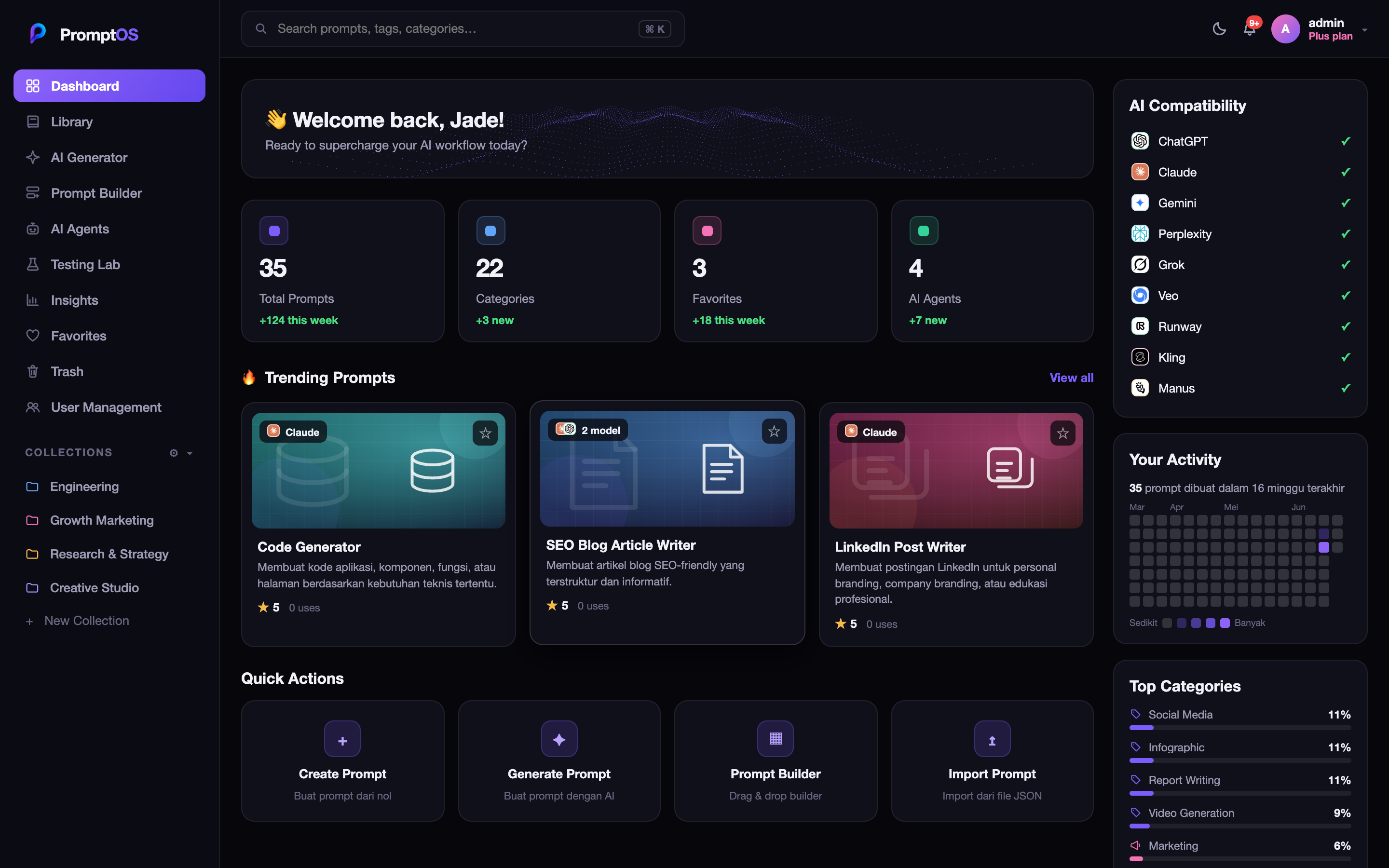
    ['assets/screens/generator.png', 'AI Generator', 'Ubah ide jadi prompt terstruktur — 5 metode: Role, RAG, CoT, Few-shot & ReAct.', L.vio],
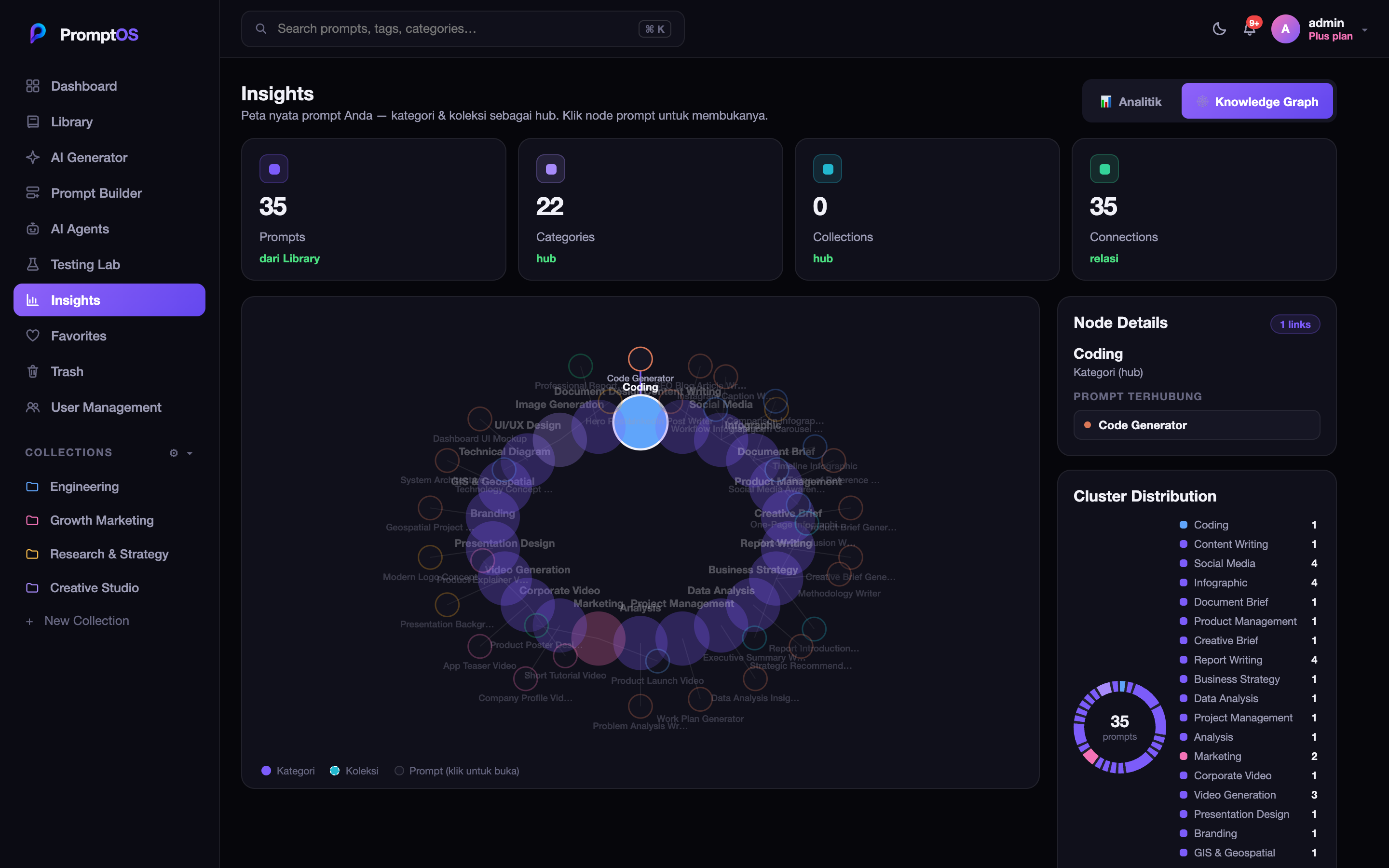
    ['assets/screens/insights.png', 'Insights & Analytics', 'Analitik real-time koleksi prompt Anda — tren pembuatan, kategori & model teratas, plus Knowledge Graph.', '#22b8cf'],
    ['assets/screens/library.png', 'Prompt Library', 'Kelola ribuan prompt dengan koleksi, kategori, tag, dan pencarian instan.', '#f472b6'],
    ['assets/screens/lab.png', 'Testing Lab', 'Uji satu prompt di banyak model AI sekaligus — output teks, dokumen, gambar, & video.', '#34d399'],
  ];
  const stats = [['9', 'Model AI didukung'], ['5', 'Metode prompting'], ['100%', 'Berbasis cloud'], ['∞', 'Prompt tersimpan']];

  return (
    <div style={{ fontFamily: L.font, minHeight: '100vh', background: L.bg, color: L.text }}>
      {/* nav */}
      <div style={{ position: 'sticky', top: 0, zIndex: 30, background: '#ffffffcc', backdropFilter: 'blur(8px)', borderBottom: `1px solid ${L.line}` }}>
        <div style={{ ...wrap, height: 66, display: 'flex', alignItems: 'center' }}>
          <Logo />
          <span style={{ margin: '0 auto', display: 'flex', gap: 26 }}>
            {[['Fitur', 'fitur'], ['Harga', 'harga'], ['Demo', 'demo']].map(([l, id]) => (
              <span key={id} onClick={() => goTo(id)} style={{ fontSize: 14, fontWeight: 600, color: L.mut, cursor: 'pointer' }}>{l}</span>
            ))}
          </span>
          <span style={{ display: 'inline-flex', gap: 10, alignItems: 'center' }}>
            <button onClick={onGetStarted} style={{ ...pill(false), padding: '9px 16px', fontSize: 13.5 }}>Masuk</button>
            <button onClick={onGetStarted} style={{ ...pill(true), padding: '9px 18px', fontSize: 13.5 }}>Mulai gratis</button>
          </span>
        </div>
      </div>

      {/* hero */}
      <div style={{ position: 'relative', overflow: 'hidden' }}>
        <div style={{ position: 'absolute', inset: 0, opacity: 0.6 }}><Landing3D /></div>
        <div style={{ position: 'absolute', inset: 0, background: 'linear-gradient(90deg, #fff 8%, rgba(255,255,255,0.55) 46%, rgba(255,255,255,0) 74%)', pointerEvents: 'none' }}></div>
        <div style={{ ...wrap, position: 'relative', zIndex: 1, padding: '72px 28px 36px', display: 'grid', gridTemplateColumns: '1fr 1.05fr', gap: 48, alignItems: 'center' }}>
        <div>
          <h1 style={{ fontSize: 50, lineHeight: 1.06, fontWeight: 800, letterSpacing: '-0.03em', margin: 0 }}>Kelola prompt AI Anda dalam satu tempat</h1>
          <p style={{ fontSize: 16, color: L.mut, lineHeight: 1.6, marginTop: 18, maxWidth: 440 }}>Simpan, susun, uji, dan visualisasikan prompt — didukung metode prompting modern dan semua model AI favorit Anda.</p>
          <div style={{ display: 'flex', gap: 12, marginTop: 26 }}>
            <button onClick={onGetStarted} style={pill(true)}>Mulai gratis →</button>
            <button onClick={onGetStarted} style={pill(false)}>Lihat demo</button>
          </div>
          <div style={{ display: 'flex', alignItems: 'center', gap: 18, marginTop: 28, flexWrap: 'wrap' }}>
            {[
              [<path d="M2 8.5 L6 12.5 L14 3.5" />, 'Gratis untuk memulai'],
              [<g><rect x="3" y="7" width="10" height="7" rx="1.6" /><path d="M5.2 7 V5 a2.8 2.8 0 0 1 5.6 0 V7" /></g>, 'Aman & privat'],
              [<path d="M8.5 1.5 L3 9 H7.5 L7 14.5 L13 7 H8 Z" />, 'Tanpa instalasi'],
              [<path d="M8 1.5 L9.4 6.6 L14.5 8 L9.4 9.4 L8 14.5 L6.6 9.4 L1.5 8 L6.6 6.6 Z" />, '5 metode prompting'],
            ].map(([icon, label], i) => (
              <span key={i} style={{ display: 'inline-flex', alignItems: 'center', gap: 7, fontSize: 13, fontWeight: 600, color: L.mut }}>
                <svg width="16" height="16" viewBox="0 0 16 16" fill="none" stroke={L.vio} strokeWidth="1.7" strokeLinecap="round" strokeLinejoin="round">{icon}</svg>
                {label}
              </span>
            ))}
          </div>
        </div>
        <div style={{ position: 'relative' }}>
          <div style={{ position: 'absolute', inset: '-12% -6%', background: 'radial-gradient(closest-side,#efeaff,transparent 70%)', filter: 'blur(12px)', pointerEvents: 'none' }}></div>
          <div style={{ position: 'relative', borderRadius: 16, overflow: 'hidden', border: `1px solid ${L.line2}`, boxShadow: '0 30px 70px rgba(60,50,120,0.18)' }}>
            <img src="assets/screens/dashboard.png" alt="" style={{ width: '100%', display: 'block' }} />
          </div>
          <div style={{ position: 'absolute', top: 18, right: -14, background: '#fff', borderRadius: 12, boxShadow: '0 14px 30px rgba(60,50,120,0.2)', padding: '10px 14px', display: 'flex', alignItems: 'center', gap: 10, animation: 'posFloat 4s ease-in-out infinite' }}>
            <span style={{ width: 30, height: 30, borderRadius: 8, background: L.grad, flex: '0 0 auto', display: 'flex', alignItems: 'center', justifyContent: 'center' }}>
              <svg width="15" height="15" viewBox="0 0 16 16" fill="none" stroke="#fff" strokeWidth="1.5" strokeLinecap="round" strokeLinejoin="round">
                <rect x="3" y="2" width="10" height="12" rx="2" /><path d="M5.5 6 H10.5 M5.5 8.5 H10.5 M5.5 11 H8.5" />
              </svg>
            </span>
            <span style={{ display: 'flex', flexDirection: 'column', lineHeight: 1.2 }}><b style={{ fontSize: 13 }}>50+</b><span style={{ fontSize: 10, color: L.dim }}>prompt</span></span>
          </div>
          <div style={{ position: 'absolute', bottom: -16, left: -14, background: '#fff', borderRadius: 12, boxShadow: '0 14px 30px rgba(60,50,120,0.2)', padding: '10px 14px', display: 'flex', alignItems: 'center', gap: 9, animation: 'posFloat 5s ease-in-out 0.6s infinite' }}>
            <span style={{ width: 26, height: 26, borderRadius: 7, background: L.grad, flex: '0 0 auto', display: 'flex', alignItems: 'center', justifyContent: 'center' }}>
              <svg width="14" height="14" viewBox="0 0 16 16" fill="#fff"><path d="M8 1 L9.4 6.6 L15 8 L9.4 9.4 L8 15 L6.6 9.4 L1 8 L6.6 6.6 Z" /></svg>
            </span>
            <span style={{ fontSize: 12, fontWeight: 700 }}>9 model AI siap pakai</span>
          </div>
        </div>
        </div>
      </div>

      {/* logos strip — running marquee */}
      <div className="pos-marquee" style={{ position: 'relative', overflow: 'hidden', padding: '24px 0 54px' }}>
        <div className="pos-marquee-track" style={{ display: 'flex', gap: 12, width: 'max-content', animation: 'posMarquee 28s linear infinite' }}>
          {[...posModelList, ...posModelList].map((m, i) => (
            <span key={i} style={{ display: 'inline-flex', alignItems: 'center', gap: 8, flex: '0 0 auto', background: L.soft, border: `1px solid ${L.line}`, borderRadius: 12, padding: '9px 16px', fontSize: 13, fontWeight: 600, color: L.mut }}>
              <MChip name={m.n} size={20} />{m.n}
            </span>
          ))}
        </div>
        <div style={{ position: 'absolute', left: 0, top: 0, bottom: 0, width: 90, background: 'linear-gradient(90deg, #fff, transparent)', pointerEvents: 'none' }}></div>
        <div style={{ position: 'absolute', right: 0, top: 0, bottom: 0, width: 90, background: 'linear-gradient(270deg, #fff, transparent)', pointerEvents: 'none' }}></div>
      </div>

      {/* features heading */}
      <Reveal>
      <div id="fitur" style={{ ...wrap, ...anchor, padding: '10px 28px', textAlign: 'center' }}>
        <span style={{ fontSize: 12, fontWeight: 700, letterSpacing: '0.12em', color: L.vio, textTransform: 'uppercase' }}>· Fitur ·</span>
        <h2 style={{ fontSize: 34, fontWeight: 800, letterSpacing: '-0.02em', margin: '10px 0 0' }}>Kenali fitur unggulan kami</h2>
      </div>

      </Reveal>
      {/* feature grid 2x2 */}
      <Reveal>
      <div style={{ ...wrap, padding: '34px 28px' }}>
        <div style={{ display: 'grid', gridTemplateColumns: '1fr 1fr', gap: 20 }}>
          {features.map(([src, title, desc, c]) => (
            <div key={title} style={{ background: L.soft, border: `1px solid ${L.line}`, borderRadius: 18, padding: 22, display: 'flex', flexDirection: 'column', gap: 14 }}>
              <div>
                <div style={{ display: 'flex', alignItems: 'center', gap: 9 }}><span style={{ width: 9, height: 9, borderRadius: 5, background: c }}></span><span style={{ fontSize: 17, fontWeight: 800 }}>{title}</span></div>
                <p style={{ fontSize: 13, color: L.mut, lineHeight: 1.55, marginTop: 8 }}>{desc}</p>
              </div>
              <div style={{ borderRadius: 12, overflow: 'hidden', border: `1px solid ${L.line2}`, boxShadow: '0 12px 30px rgba(60,50,120,0.1)', marginTop: 'auto' }}>
                <img src={src} alt="" style={{ width: '100%', display: 'block' }} />
              </div>
            </div>
          ))}
        </div>
      </div>

      </Reveal>
      {/* overview two-col */}
      <Reveal>
      <div id="demo" style={{ ...wrap, ...anchor, padding: '34px 28px', display: 'grid', gridTemplateColumns: '1fr 1.1fr', gap: 46, alignItems: 'center' }}>
        <div>
          <h2 style={{ fontSize: 30, fontWeight: 800, letterSpacing: '-0.02em', margin: 0, lineHeight: 1.2 }}>Pahami koleksi prompt Anda lewat Insights</h2>
          <p style={{ fontSize: 14.5, color: L.mut, lineHeight: 1.6, marginTop: 14 }}>Insights menyatukan analitik real-time, tren pembuatan, kategori & model teratas, hingga Knowledge Graph keterkaitan prompt — semuanya dihitung langsung dari data Anda.</p>
          <div style={{ display: 'flex', flexDirection: 'column', gap: 11, marginTop: 18 }}>
            {['Analitik real-time dari data Anda', 'Tren pembuatan & distribusi kategori/model', 'Knowledge Graph keterkaitan prompt'].map((p) => (
              <span key={p} style={{ display: 'flex', gap: 10, fontSize: 13.5, color: L.mut }}><span style={{ color: L.vio, fontWeight: 800 }}>✓</span>{p}</span>
            ))}
          </div>
        </div>
        <div style={{ borderRadius: 16, overflow: 'hidden', border: `1px solid ${L.line2}`, boxShadow: '0 24px 60px rgba(60,50,120,0.16)' }}>
          <img src="assets/screens/graph.png" alt="" style={{ width: '100%', display: 'block' }} />
        </div>
      </div>

      </Reveal>
      {/* stats band */}
      <Reveal>
      <div style={{ ...wrap, padding: '34px 28px' }}>
        <div style={{ borderRadius: 22, padding: '36px 28px', background: 'linear-gradient(120deg,#eaf0ff,#f3eaff 55%,#ffeef6)', display: 'grid', gridTemplateColumns: 'repeat(4,1fr)', gap: 20 }}>
          {stats.map(([v, l]) => (
            <div key={l} style={{ textAlign: 'center' }}>
              <div style={{ fontSize: 38, fontWeight: 800, letterSpacing: '-0.02em', color: L.text }}>{v}</div>
              <div style={{ fontSize: 12.5, color: L.mut, marginTop: 4 }}>{l}</div>
            </div>
          ))}
        </div>
      </div>

      </Reveal>
      {/* integrations */}
      <Reveal>
      <div style={{ ...wrap, padding: '34px 28px' }}>
        <h2 style={{ fontSize: 26, fontWeight: 800, letterSpacing: '-0.02em', margin: '0 0 6px' }}>Terintegrasi dengan model favorit Anda</h2>
        <p style={{ fontSize: 14, color: L.mut, marginBottom: 22 }}>Satu prompt, banyak model. Uji &amp; jalankan di mana pun.</p>
        <div style={{ display: 'grid', gridTemplateColumns: 'repeat(3,1fr)', gap: 14 }}>
          {posModelList.slice(0, 9).map((m) => (
            <div key={m.n} style={{ display: 'flex', alignItems: 'center', gap: 12, background: L.soft, border: `1px solid ${L.line}`, borderRadius: 14, padding: '14px 16px' }}>
              <MChip name={m.n} size={34} />
              <span style={{ display: 'flex', flexDirection: 'column' }}><b style={{ fontSize: 14 }}>{m.n}</b><span style={{ fontSize: 11, color: L.dim }}>Siap digunakan</span></span>
              <span style={{ marginLeft: 'auto', fontSize: 11.5, fontWeight: 700, color: L.vio, background: L.vioSoft, borderRadius: 99, padding: '4px 11px' }}>Aktif</span>
            </div>
          ))}
        </div>
      </div>

      </Reveal>
      {/* pricing */}
      <Reveal>
      <div id="harga" style={{ ...wrap, ...anchor, padding: '48px 28px', textAlign: 'center' }}>
        <span style={{ fontSize: 12, fontWeight: 700, letterSpacing: '0.12em', color: L.vio, textTransform: 'uppercase' }}>· Harga ·</span>
        <h2 style={{ fontSize: 30, fontWeight: 800, letterSpacing: '-0.02em', margin: '10px 0 28px' }}>Pilih paket yang pas</h2>
        <div style={{ display: 'grid', gridTemplateColumns: 'repeat(3,1fr)', gap: 18, textAlign: 'left' }}>
          {posPlans.map((pl) => (
            <div key={pl.id} style={{
              position: 'relative', background: pl.highlight ? '#fff' : L.soft, borderRadius: 18, padding: 24,
              border: `1.5px solid ${pl.highlight ? L.vio : L.line}`, boxShadow: pl.highlight ? '0 20px 50px rgba(109,76,240,0.18)' : 'none',
              display: 'flex', flexDirection: 'column', gap: 14,
            }}>
              {pl.highlight && <span style={{ position: 'absolute', top: -11, left: '50%', transform: 'translateX(-50%)', fontSize: 10.5, fontWeight: 800, color: '#fff', background: L.grad, borderRadius: 99, padding: '4px 12px' }}>POPULER</span>}
              <div>
                <div style={{ display: 'flex', alignItems: 'center', gap: 8 }}><span style={{ width: 10, height: 10, borderRadius: 5, background: pl.color }}></span><b style={{ fontSize: 16 }}>{pl.name}</b></div>
                <div style={{ fontSize: 12, color: L.mut, marginTop: 4 }}>{pl.tagline}</div>
              </div>
              <div style={{ display: 'flex', alignItems: 'baseline', gap: 4 }}><span style={{ fontSize: 30, fontWeight: 800 }}>{pl.priceLabel}</span><span style={{ fontSize: 13, color: L.dim }}>{pl.period}</span></div>
              <div style={{ display: 'flex', flexDirection: 'column', gap: 9, flex: 1 }}>
                {pl.features.map((f) => <span key={f} style={{ display: 'flex', gap: 9, fontSize: 12.5, color: L.mut }}><span style={{ color: pl.color, fontWeight: 800 }}>✓</span>{f}</span>)}
              </div>
              <button onClick={onGetStarted} style={{ ...(pl.highlight ? pill(true) : pill(false)), width: '100%' }}>Mulai dengan {pl.name}</button>
            </div>
          ))}
        </div>
        <div style={{ marginTop: 30, textAlign: 'left' }}>
          <h3 style={{ fontSize: 18, fontWeight: 800, margin: '0 0 14px', textAlign: 'center' }}>Perbandingan fitur lengkap</h3>
          <PlanMatrix c={{ text: L.text, mut: L.mut, dim: L.dim, line: L.line, soft: L.soft, vio: L.vio, card: '#fff' }} />
        </div>
      </div>

      </Reveal>
      {/* footer */}
      <div style={{ background: '#0e0e1a', color: '#fff', marginTop: 30 }}>
        <div style={{ ...wrap, padding: '48px 28px 22px' }}>
          <div style={{ background: '#16162a', borderRadius: 18, padding: '30px 28px', display: 'flex', alignItems: 'center', gap: 20, flexWrap: 'wrap' }}>
            <div style={{ flex: 1, minWidth: 240 }}>
              <h3 style={{ fontSize: 22, fontWeight: 800, margin: 0 }}>Siap men-supercharge alur kerja AI Anda?</h3>
              <p style={{ fontSize: 13.5, color: 'rgba(255,255,255,0.6)', marginTop: 8 }}>Mulai gratis hari ini — tanpa kartu kredit.</p>
            </div>
            <button onClick={onGetStarted} style={{ ...pill(true), padding: '13px 26px', fontSize: 15 }}>Buat akun gratis →</button>
          </div>
          <div style={{ display: 'flex', alignItems: 'center', gap: 14, flexWrap: 'wrap', marginTop: 32, paddingTop: 20, borderTop: '1px solid rgba(255,255,255,0.08)' }}>
            <span style={{ display: 'inline-flex', alignItems: 'center', gap: 9 }}><img src="assets/logo.png" width={24} height={24} style={{ objectFit: 'contain' }} /><b style={{ fontSize: 15 }}>PromptOS</b></span>
            <span style={{ fontSize: 12, color: 'rgba(255,255,255,0.45)' }}>© 2026 PromptOS. The Operating System for AI Prompting.</span>
            <span style={{ marginLeft: 'auto', fontSize: 13, color: 'rgba(255,255,255,0.7)', cursor: 'pointer' }} onClick={onGetStarted}>Masuk →</span>
          </div>
        </div>
      </div>
    </div>
  );
}

function LoginPage({ onAuthed, onBack }) {
  const [mode, setMode] = React.useState('login'); // login | register
  const [username, setUsername] = React.useState('');
  const [password, setPassword] = React.useState('');
  const [err, setErr] = React.useState('');
  const [busy, setBusy] = React.useState(false);

  const submit = () => {
    if (busy) return;
    setErr(''); setBusy(true);
    fetch('/api/auth/' + mode, {
      method: 'POST', headers: { 'Content-Type': 'application/json' },
      body: JSON.stringify({ username: username.trim(), password }),
    })
      .then(async (r) => {
        const data = await r.json().catch(() => ({}));
        if (!r.ok) throw new Error(data.error || 'Gagal masuk');
        return data;
      })
      .then((data) => { onAuthed(data.token, data.user); })
      .catch((e) => { setErr(e.message); setBusy(false); });
  };

  const inputStyle = {
    fontFamily: T.font, fontSize: 14, color: T.text, background: T.card2,
    border: `1px solid ${T.line}`, borderRadius: 10, padding: '12px 14px', outline: 'none', width: '100%',
  };

  return (
    <div style={{
      fontFamily: T.font, minHeight: '100vh', display: 'flex', alignItems: 'center', justifyContent: 'center',
      background: T.bg, color: T.text, padding: 20, position: 'relative', overflow: 'hidden',
    }}>
      <div style={{
        position: 'absolute', top: '-20%', left: '50%', width: 600, height: 600, transform: 'translateX(-50%)',
        background: 'radial-gradient(circle, rgba(124,92,250,0.22), transparent 60%)', pointerEvents: 'none',
      }}></div>
      <div style={{ width: 380, position: 'relative' }}>
        {onBack && (
          <div style={{ marginBottom: 14 }}>
            <GhostBtn small onClick={onBack}>← Kembali ke beranda</GhostBtn>
          </div>
        )}
        <div style={{ display: 'flex', flexDirection: 'column', alignItems: 'center', gap: 10, marginBottom: 26 }}>
          <img src="assets/logo.png" alt="PromptOS" width={56} height={56} style={{ objectFit: 'contain' }} />
          <div style={{ fontWeight: 800, fontSize: 22, letterSpacing: '-0.02em' }}>
            Prompt<span style={{ color: T.vio }}>OS</span>
          </div>
          <div style={{ fontSize: 13, color: T.mut }}>The Operating System for AI Prompting</div>
        </div>
        <Card style={{ padding: 24, display: 'flex', flexDirection: 'column', gap: 14 }}>
          <div style={{ display: 'flex', gap: 6, background: T.card2, borderRadius: 10, padding: 4 }}>
            {['login', 'register'].map((m) => (
              <button key={m} onClick={() => { setMode(m); setErr(''); }} style={{
                flex: 1, fontFamily: T.font, fontSize: 13, fontWeight: 700, cursor: 'pointer',
                padding: '9px 0', borderRadius: 7, border: 'none',
                background: mode === m ? T.grad : 'transparent',
                color: mode === m ? '#fff' : T.mut,
              }}>{m === 'login' ? 'Masuk' : 'Daftar'}</button>
            ))}
          </div>
          <FieldLabel>Username</FieldLabel>
          <input autoFocus value={username} onChange={(e) => setUsername(e.target.value)}
            onKeyDown={(e) => e.key === 'Enter' && submit()} placeholder="username" style={inputStyle} />
          <FieldLabel>Password</FieldLabel>
          <input type="password" value={password} onChange={(e) => setPassword(e.target.value)}
            onKeyDown={(e) => e.key === 'Enter' && submit()} placeholder="••••••••" style={inputStyle} />
          {err && (
            <div style={{
              fontSize: 12.5, color: '#f87171', background: 'rgba(248,113,113,0.12)',
              border: '1px solid rgba(248,113,113,0.3)', borderRadius: 8, padding: '9px 12px',
            }}>{err}</div>
          )}
          <VioBtn onClick={submit} style={{ marginTop: 4 }}>
            {busy ? '…' : (mode === 'login' ? 'Masuk' : 'Buat akun')}
          </VioBtn>
          {mode === 'register' && (
            <div style={{ fontSize: 11, color: T.dim, textAlign: 'center' }}>Akun baru otomatis berperan Viewer.</div>
          )}
        </Card>
        {mode === 'login' && (
          <Card style={{ padding: 14, marginTop: 14 }}>
            <div style={{ fontSize: 11, fontWeight: 700, color: T.dim, textTransform: 'uppercase', letterSpacing: '0.07em', marginBottom: 9 }}>Akun demo</div>
            <div style={{ display: 'flex', flexDirection: 'column', gap: 7 }}>
              {[['admin', 'admin123'], ['editor', 'editor123'], ['viewer', 'viewer123']].map(([u, p]) => (
                <div key={u} onClick={() => { setUsername(u); setPassword(p); }}
                  title="Klik untuk mengisi otomatis"
                  style={{
                    display: 'flex', alignItems: 'center', gap: 9, fontSize: 12, cursor: 'pointer',
                    padding: '7px 10px', borderRadius: 8, background: T.card2, border: `1px solid ${T.line}`,
                  }}>
                  <RoleBadge role={u} />
                  <span style={{ color: T.mut, fontFamily: 'monospace' }}>{u} / {p}</span>
                </div>
              ))}
            </div>
          </Card>
        )}
      </div>
    </div>
  );
}

function Users({ me }) {
  const [users, setUsers] = React.useState(null);
  const [err, setErr] = React.useState('');
  const load = () => posAuthFetch('/users')
    .then((r) => r.json())
    .then((d) => setUsers(d.users || []))
    .catch(() => setErr('Gagal memuat pengguna'));
  React.useEffect(() => { load(); }, []);

  const setRole = (id, role) => {
    posAuthFetch('/users/' + id, { method: 'PATCH', body: JSON.stringify({ role }) })
      .then(() => setUsers((us) => us.map((u) => (u.id === id ? { ...u, role } : u))));
  };
  const remove = (id) => {
    posAuthFetch('/users/' + id, { method: 'DELETE' })
      .then((r) => r.json())
      .then((d) => { if (d.error) alert(d.error); else setUsers((us) => us.filter((u) => u.id !== id)); });
  };

  const counts = { admin: 0, editor: 0, viewer: 0 };
  (users || []).forEach((u) => { counts[u.role] = (counts[u.role] || 0) + 1; });

  return (
    <div style={{ padding: 22, maxWidth: 860, display: 'flex', flexDirection: 'column', gap: 16 }}>
      <div>
        <div style={{ fontSize: 20, fontWeight: 800, color: T.text }}>User Management</div>
        <div style={{ fontSize: 12.5, color: T.mut, marginTop: 3 }}>Kelola anggota tim dan peran akses (RBAC). Hanya admin yang dapat membuka halaman ini.</div>
      </div>
      <div style={{ display: 'flex', gap: 12 }}>
        <StatCard color="#f472b6" value={String(counts.admin)} label="Admin" delta="akses penuh" />
        <StatCard color="#7c5cfa" value={String(counts.editor)} label="Editor" delta="bisa mengubah" />
        <StatCard color="#60a5fa" value={String(counts.viewer)} label="Viewer" delta="hanya baca" />
      </div>
      {err && <div style={{ color: '#f87171', fontSize: 13 }}>{err}</div>}
      <Card style={{ padding: 8 }}>
        {(users || []).map((u) => (
          <div key={u.id} style={{
            display: 'flex', alignItems: 'center', gap: 14, padding: '12px 14px',
            borderBottom: `1px solid ${T.line}`,
          }}>
            <span style={{
              width: 36, height: 36, borderRadius: 18, flex: '0 0 auto',
              background: `linear-gradient(135deg, ${posRoleMeta[u.role].c}, ${T.vio})`,
              display: 'flex', alignItems: 'center', justifyContent: 'center',
              color: '#fff', fontWeight: 800, fontSize: 14,
            }}>{u.username[0].toUpperCase()}</span>
            <span style={{ display: 'flex', flexDirection: 'column', gap: 2, minWidth: 0 }}>
              <span style={{ fontSize: 14, fontWeight: 700, color: T.text }}>
                {u.username}{u.username === me.username && <span style={{ color: T.dim, fontWeight: 500 }}> (Anda)</span>}
              </span>
              <span style={{ fontSize: 11, color: T.dim }}>{posRoleMeta[u.role].desc}</span>
            </span>
            <span style={{ marginLeft: 'auto', display: 'flex', alignItems: 'center', gap: 10 }}>
              <Select value={u.role} onChange={(r) => setRole(u.id, r)}
                options={['admin', 'editor', 'viewer']} style={{ width: 120 }} />
              <button onClick={() => remove(u.id)} title="Hapus pengguna"
                disabled={u.username === me.username}
                style={{
                  background: 'transparent', border: `1px solid ${T.line2}`, borderRadius: 8,
                  color: u.username === me.username ? T.dim : '#f87171', cursor: u.username === me.username ? 'not-allowed' : 'pointer',
                  fontSize: 13, padding: '8px 11px', opacity: u.username === me.username ? 0.4 : 1,
                }}>✕</button>
            </span>
          </div>
        ))}
        {users && users.length === 0 && (
          <div style={{ padding: 30, textAlign: 'center', color: T.dim, fontSize: 13 }}>Belum ada pengguna.</div>
        )}
      </Card>
    </div>
  );
}

Object.assign(window, { LandingPage, LoginPage, Users, Plans, PlanCards, PlanLock, UpgradeOverlay, UpgradeModal, RoleBadge, posCan, posRoleMeta });